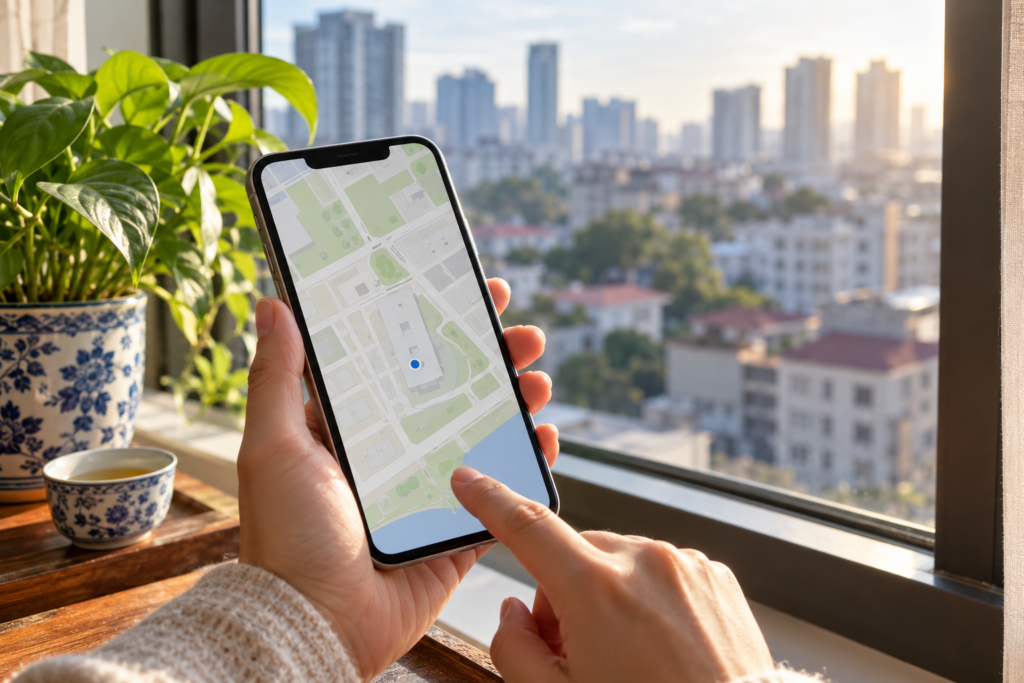
You are standing inside a building, looking at its outline on a phone, and a location tool tells you that you are outside. The immediate reaction is understandable: the app seems to contradict something you know directly.
The disagreement usually concerns the reported coordinate, the mapped footprint or the treatment of uncertainty. It does not mean the phone has established that your physical experience is wrong. A useful troubleshooting process identifies which input is unreliable and gives you a practical way to continue.
A coordinate is an estimate
Browser geolocation can use information supplied by the device and its operating system. It is not a guarantee of room-level positioning. The returned position includes an accuracy value, and that value should influence how confidently an application classifies the point relative to a small building.
For example, a reported coordinate may fall just beyond a wall while its uncertainty overlaps a large part of the building. A strict point-in-polygon test would call that coordinate outside. A better user-facing explanation distinguishes the coordinate’s mathematical position from uncertainty about where the person actually is.
Why phones and desktops can behave differently
Different devices can use different location sources, permissions and previously obtained fixes. A desktop result that appears to work is not proof that its coordinate is more accurate. It may simply land closer to the selected area, or the workflow may have used a manual point.
Compare the source and accuracy of the position on both devices. Also check whether the same polygon and selected point were used. “It works on desktop” is a useful observation, but it is not a complete diagnosis until those inputs are compared.
First check the building outline
Zoom out enough to inspect every corner. Confirm that the polygon follows the intended building and does not cross itself. Check for an accidental tap away from the footprint or a repeated corner that produces an unexpected shape.
Then test a manually selected point well inside the polygon. If the manual point is classified correctly, the building geometry may be adequate and the device location deserves closer attention. If the manual point also fails, revisit the outline and the intended unit of analysis.
Then check permissions and freshness
Use the site over HTTPS, allow location access when you want to use GPS, and check the browser or operating-system permission if the request fails. Some browsers distinguish approximate and precise location settings. A permission denial is different from an inaccurate fix and should be treated as a separate problem.
A stale location can also be misleading. Request a fresh reading and allow the acquisition process to complete. Repeatedly tapping a button while several requests are pending can make it harder to tell which result belongs to which attempt. A well-designed app should discard obsolete responses when the relevant inputs change.
What should uncertainty look like?
The interface should make clear whether it has a usable interior location, a confidently outside location or an uncertain position. It should not hide a poor fix by silently moving the user into the building. Nor should it make an unsupported assertion that the person is outside when the accuracy information does not justify that confidence.
This distinction matters because a reading tied to a particular area depends on location. If the uncertainty covers multiple sectors, selecting one exact sector may create an impression of precision that the measurement cannot support.
When a manual point is the better choice
If you know where you are on a reliable map or plan, select that location manually. Manual positioning makes the source of the point explicit. It is especially useful indoors, near tall structures or when the building is smaller than the reported accuracy radius.
Manual entry is not a claim that every map is accurate. You still need to place the point carefully and understand what the polygon represents. It is simply a different source of location information, one that can be more suitable for the question you are asking.
A repeatable troubleshooting sequence
Check the footprint first, then a clearly interior manual point, then a fresh GPS fix and its accuracy. Keep the selected chart inputs unchanged during this sequence. If you alter the polygon, date and location together, you lose the ability to isolate the cause.
Record what happened in plain language: “manual point inside; GPS uncertain near west edge” is more informative than “the reading failed.” It helps you repeat the check and makes a support request easier to investigate.
What the revised FlyingStar workflow does
The FlyingStar app was revised specifically to address the mobile false-outside problem. It considers location uncertainty, supports manual positioning and guards against outdated asynchronous responses affecting a newer selection. The protected version preserves that workflow while sending calculations to its server-side engine.
This is a software improvement, not a promise that every phone provides accurate indoor GPS. The app still depends on browser permissions, the device’s available location information and the quality of the mapped footprint. Physical device behavior can vary.
Use the contact form if a repeatable problem remains. Include the browser, device, steps and whether the position was manual or GPS. Do not send private coordinates unless they are necessary and you are comfortable sharing them.
Continue with the most reliable input
When GPS is uncertain, use a carefully placed manual point and record that choice. You can then evaluate the supported reading without pretending the phone supplied room-level accuracy. See the complete workflow before beginning a trial. Eligible trials last 30 days and convert automatically to $99 USD/month unless canceled.
Sources and further reading
These sources document the tradition, calendar or browser behavior discussed here. A traditional source is evidence of what practitioners teach, not proof of promised life outcomes.
- W3C: Geolocation specification
- W3C: Device Orientation and Motion
- Hong Kong Observatory: Gregorian–lunar calendar and solar terms
Questions to check next
Is GPS accuracy the same as a compass heading?
No. Position estimates where you are; a heading describes orientation. A reliable value for one does not establish the reliability of the other.
Should the app silently move my point inside?
No. A manual correction should be explicit. Uncertainty should be communicated so you can choose the location source that best fits the task.
Can browser permissions fix indoor drift?
Permissions allow access to available information. They do not guarantee room-level accuracy; use the reported accuracy and a manual point when appropriate.